This guide explains how to access government phone programs through major Lifeline-based providers, comparing services, eligibility requirements, and the application steps. It also clarifies what the program typically covers (calls, texting, and data allowances) and what may involve optional add-ons. Background information is provided on how federal and state assistance programs operate, and what applicants should prepare before submitting documentation.
If you’re searching for reliable low-cost wireless service, you’ll typically encounter Lifeline-aligned “government phone” offerings from providers such as SafeLink Wireless, Assurance Wireless, StandUp Wireless, Access Wireless, and True Wireless. These programs are designed to help eligible households maintain essential connectivity—usually including unlimited talk and text and a data allowance that can vary by plan and state.
To get started efficiently, confirm eligibility (commonly based on income or participation in assistance programs), then apply online with required proof. Also note that premium device upgrades and higher-speed data options may involve additional charges. Just as importantly, understand that eligibility and benefits can vary depending on your state’s implementation, your household circumstances, and the specific carrier’s plan terms.
Finally, treat the program as a service that supports everyday communication needs—not just as a cheap handset deal. The real value is the monthly wireless service package: voice reliability, messaging reliability, and a realistic data level designed to help with essential online access like email, maps, basic browsing, and school or work communication.
In the United States, the very widely used framework for these offerings is the federal Lifeline program (and, in many contexts, related affordability initiatives). Providers may offer:
Because wireless plans are not identical nationwide, applicants should review plan terms for their specific state, since data thresholds, speed tiers, and device availability can differ. Some states or carriers may emphasize different portions of the benefit—for example, offering a slightly higher data allowance in one state while prioritizing other features in another. When in doubt, always read the provider’s current plan details or speak with the provider’s official customer support.
Additionally, “unlimited” in these offerings generally refers to talk and text. Data is typically provided as an allowance (often for a specific amount of high-speed data) and then may slow down after that allowance is used. That behavior matters a lot if you stream video, download large files, or use navigation frequently. For many people, these plans work best for light-to-moderate data use: email, messaging, job searches, school resources, and general web access.
Some providers also offer features that are sometimes bundled or optionally added, such as hotspot capability. In other cases, hotspot use may be restricted or may be available only during certain data periods. If hotspot is important to you, check the plan’s fine print. A program can be an excellent deal for regular smartphone use but still have limitations for heavy hotspot usage.
From an industry operations standpoint, these providers operate within strict compliance rules. That matters for two practical reasons:
In addition, device-related options (for example, upgrading to premium models) are often where additional costs can appear. For that reason, it’s wise to treat any “upgrade” language as optional unless the provider explicitly confirms what is included at no additional cost. It’s also helpful to understand the difference between a device fee (paid upfront or monthly) and service plan charges (paid monthly). Some programs may appear “low cost” on the service side but introduce fees on the device side, such as taxes, activation-related charges, or optional accessories.
Providers typically aim to streamline customer acquisition and reduce friction in eligibility verification. However, because Lifeline enrollment is a regulated benefit tied to eligibility rules, the provider must validate eligibility and prevent duplicate enrollment. That leads to onboarding steps that may feel more complex than buying a standard consumer plan from a mobile retailer.
Another industry reality is that carriers rely on network performance and coverage in your region. Even when plans are broadly similar, performance can vary. A plan with a certain data allowance might feel better in areas where the provider’s network is strong. Conversely, data speeds can be affected by local congestion, tower capacity, and your device’s compatibility with supported network bands and technologies.
From an applicant’s standpoint, that means your best strategy is to focus on the “fit” between plan and your real usage. If your household needs reliable texting and calls for family communications, job interviews, or medical appointments, a Lifeline-aligned plan can be a strong match. If your household uses data for video calls, gaming, or continuous streaming, you may need to confirm whether the data allowance and speed behavior will meet your needs.
Below is a comparison focused on each provider’s official program page and the typical services included. Optional upgrades or paid enhancements may exist, depending on the plan and local rules.
| Provider (Official Plan Site) | Services Included in Government-Supported Offerings | Potential Additional Package Costs |
|---|---|---|
| SafeLink Wireless | Government-supported smartphone or BYOD option; unlimited talk and text; data allowances that vary by plan and state | Premium device upgrades and/or additional data boosts may cost extra |
| Assurance Wireless | Government-supported Android smartphone; unlimited talk and text; data allowances | Optional upgrades for higher-speed data and certain features (e.g., international calling) may involve extra fees |
| StandUp Wireless | Government-supported smartphone or BYOD option; unlimited talk and text; data plans | Fees may apply for premium phone upgrades or extra data |
| Access Wireless | Unlimited voice and text; limited high-speed data; often tied to Lifeline and related affordability benefits | Data boosts and device upgrades may be offered for a fee |
| True Wireless | Government-supported phone options; voice and data plans | Optional upgrades for better devices or additional data plans may cost extra |
Source of the table information:
source: [www.safelinkwireless.com](www.safelinkwireless.com) source: [www.assurancewireless.com](www.assurancewireless.com) source: [standupwireless.com](standupwireless.com) source: [www.accesswireless.com](www.accesswireless.com) source: [www.gotruewireless.com](www.gotruewireless.com)(These links indicate the source of the program details summarized above.)
Because carrier policies and state plan terms change over time, the best practice is not to rely solely on a comparison table. Instead, use the table as a starting point, then open the provider’s official page and verify current offerings. When you verify, look for details about:
Also remember that “add-on possibilities” can be presented in ways that are easy to miss. For example, a provider might market an “enhanced device” or “premium data” plan. If you’re offered an upgrade, ask whether it changes your Lifeline benefit cost or whether it’s an optional paid feature layered on top of the base benefit.
Before you submit anything, treat eligibility as the “gate” that determines whether you qualify for the provider’s government-supported wireless benefits. The requirements below reflect common frameworks used by these programs; however, always verify details on your chosen provider’s official application page.
Eligibility can also depend on whether you already receive the Lifeline benefit for another phone line. In most circumstances, a household can only receive one Lifeline benefit at a time (with limited exceptions that vary by circumstance). If you or another member of your household already receives Lifeline, you might need to coordinate which person uses the benefit. Applying “again” without resolving that can lead to delays or denial.
Another important nuance is “household” definition. Many programs define household as the people who live together and share income and expenses. If you have multiple households—such as you live part-time in one place and part-time in another—you may need to carefully match your enrollment address and household information to how eligibility is evaluated. Inconsistent addresses can be a reason for verification problems.
Also, be cautious about relying on word-of-mouth. Some people assume that being eligible for one program automatically makes you eligible for Lifeline across every provider and every state. While there is overlap, thresholds and required documentation can vary. Always confirm eligibility based on the official criteria you see during application.
Proof can take many forms depending on your eligibility category. For income-based eligibility, you may need documents like recent pay stubs, tax documents, or other official income statements. For participation in assistance programs, a letter of participation, benefit approval, or enrollment verification can be required. Some carriers use an automated verification service that checks eligibility data electronically; in those cases, you may still need to upload documents if the automated check cannot confirm your information.
Identity and address requirements are typically about preventing fraud and ensuring the benefit is tied to the correct household. That means names should match exactly. Common issues include:
Device preference matters because the provider may offer different handset models depending on availability and your state’s current program offering. If you choose BYOD, you might need to ensure your device is compatible with the carrier’s network and supports required features like VoLTE. Compatibility requirements are usually listed on the provider’s website or in the application flow. If you don’t meet those requirements, you may be asked to switch to an approved phone or to an available device program.
While each provider’s exact workflow differs, the process typically follows this order:
In many real-world cases, the “waiting” step is the most unpredictable part. Verification may take minutes in straightforward cases, or it may take several days if documents need review. If you plan to replace a phone quickly—for work, school, or medical reasons—apply as early as possible and keep an eye on email or text updates from the provider.
Some providers also allow you to track your application status. If you can’t track it, saving screenshots or confirmation emails can be helpful. If the application is rejected or requires more information, having proof of your submission date and the exact information you entered can reduce back-and-forth.
Here are additional practical tips that often help applicants succeed on the first submission:
Delays are rarely personal. They are often administrative. Still, the fastest way to move forward is to minimize avoidable errors. Many applicants apply successfully just by ensuring the uploaded proof is clear and the household information matches exactly.
Many applicants focus on the device and the monthly cost. As an industry expert would frame it, the more consequential question is: What level of service is actually included for your daily needs? For very Lifeline-aligned offerings, the core package emphasizes voice and texting reliability, with a data allowance intended to support essential online access.
Accordingly, your choice should consider:
It helps to think in terms of your actual usage categories. For example:
Also, consider the difference between data allowance and coverage. A plan can have an adequate data amount, but if coverage is weak in your home or workplace, speeds will be slow regardless. If possible, ask others in your area about network performance for the provider you’re choosing. Even a low-cost plan won’t help much if calls drop frequently or data doesn’t load in your typical location.
Finally, remember that smartphones delivered through these programs may have “locked down” features or preconfigured settings. While they’re often fully functional, there might be carrier-specific customization. That usually doesn’t prevent normal app use, but it can affect advanced settings. If you’re particular about system customization, check whether the device is a standard Android build or a carrier-customized version.
You provided a contact number: 01185484418. If you intend to contact a provider, use the official contact details listed on the provider’s website to ensure you reach the correct organization and avoid fraud risks.
Because government-affiliated programs can attract scams, it’s worth emphasizing safe practices. Only use phone numbers and web addresses found on official provider pages or reliable government resources. Avoid providing personal information to people who reach out unsolicited (for example, through text messages claiming you “must verify now”). Legitimate providers generally operate through their official websites, official customer support channels, and secure verification steps during application.
Also, be careful with payment requests. True Lifeline-supported plans typically do not require payment to “activate eligibility.” If someone asks for an upfront fee to apply, it’s a red flag. There can be legitimate taxes or device-related costs in some scenarios, but you should confirm those costs through official documentation before paying anything.
In very cases, yes. Provider program descriptions commonly include unlimited talk and unlimited text. However, always confirm plan specifics on the official website because network policies and local plan terms may vary.
In practical usage, “unlimited talk” generally means you can place and receive calls without running out of minutes under normal plan rules. Some plans may still have restrictions, such as limiting certain call types or using fair-use policies for unusual traffic patterns. These cases are not typical for everyday household use, but it’s still smart to read the terms if you rely heavily on calling.
Typically, the packages include a data allowance rather than truly unlimited high-speed data. Some plans may allow additional data boosts for a fee. Reviewing your state’s plan terms is essential.
Many applicants discover the data behavior once they start using the service. Often, high-speed data is available up to a monthly threshold. After that, speeds may be reduced or managed. That reduction might not make data unusable, but it can significantly affect streaming quality and download speeds.
If your household uses a lot of data, consider whether a data boost is available and how often it can be purchased. Also consider whether hotspot usage is supported and whether it uses the same data allowance. Hotspot can be useful, but it can also consume data faster, especially if multiple devices connect.
Not necessarily. Many programs offer either a government-supported smartphone or a BYOD option if your device is compatible. Eligibility and device availability often determine which pathway you receive.
If you want a specific brand or model, you may not have full choice. Device catalogs can change due to inventory and program policy updates. Some people prefer BYOD because it ensures they keep their current phone and avoid waiting for a device shipment. Others prefer receiving an approved handset because it can provide better compatibility and simplified activation.
When considering BYOD, carefully check the eligibility and compatibility requirements. Some older phones may not support VoLTE or may not work well on the carrier’s network. Even if your phone powers on and makes calls on another carrier, it may not be fully compatible with your Lifeline-aligned carrier.
Common eligibility routes include household income thresholds or participation in eligible programs such as Medicaid, SNAP, SSI, and housing assistance programs (e.g., FPHA). Exact thresholds can differ by program type and state.
In addition to those common categories, some eligibility scenarios can be based on other assistance programs, depending on the current federal and state rules in effect. During application, the provider will present a list of eligible programs; choose the correct one that matches your situation. If you select the wrong category, you might experience document issues or delays.
Also note that eligibility isn’t always static. If your income changes or if assistance enrollment ends, you may no longer qualify. Some programs require periodic recertification (proof renewal). Staying aware of those timelines can help you avoid losing benefits unexpectedly.
You typically apply online through the provider’s website, submit eligibility information, and then upload documentation for verification when requested. Some processes may include verification steps via national eligibility systems.
While the general workflow is similar across providers, your exact steps can vary. Some providers might allow faster processing through online identity and eligibility verification. Others might require manual document review.
If you run into technical problems—like an error message during upload—try again using a different browser or device, or contact the provider’s official support channel. Don’t rely on third-party “help” websites that ask you to upload personal documents to them.
No. Optional upgrades—such as premium device models or additional data—may carry additional charges. The safest approach is to verify what is included in the standard qualifying benefit versus what is an add-on.
It’s common to see marketing language about faster data, better camera quality, or a premium phone. Those features may be part of an optional paid upgrade tier. Before you accept any upgrade, look for clear details about:
If the cost isn’t clearly explained, ask the provider for a written confirmation or check the application summary page carefully. Confirmation screens often show total charges before you finalize.
After approval, you typically complete activation steps, set up your SIM/eSIM if applicable, and follow provider instructions for device configuration or service enrollment.
Activation steps can vary depending on whether you chose a government-provided phone or BYOD. Common activation tasks include verifying your phone number, inserting the SIM card (or using an eSIM download), and ensuring the device connects to the correct network.
If you receive a new handset, you may also need to complete initial setup tasks such as:
Some new devices may take time to fully provision. If your phone doesn’t work immediately after activation, wait a short period and then check signal and service settings. If problems persist, contact support through official channels.
If denied, the provider will usually explain the reason or indicate what additional proof is needed. You can often re-apply after correcting documentation issues or after your eligibility circumstances change.
Denials often stem from common issues like mismatched identity information, incomplete uploads, outdated documents, or confusion about household enrollment. If you can, review the denial reason carefully and gather the correct documents before reapplying.
Also consider whether someone in your household already receives Lifeline. If a duplicate enrollment issue occurred, you may need to coordinate before applying again. If your eligibility status changed—for example, you newly enrolled in Medicaid or SNAP—then reapplying with updated proof can resolve the problem.
If you feel the denial is incorrect, contact the provider’s support team and ask for clarification on the verification step. Keep your confirmation emails and documentation so you can respond quickly with any requested details.
1) The above information comes from online resources, and the data is as of October 2023.
2) This website cannot guarantee that applicants will definitely get a government affordable phone. For specific application requirements and how to obtain it, please refer to the official requirements of the provider. This website will not be updated in real time.
Because program rules and plan details can change, always validate information directly on the provider’s official website before making decisions. If you are comparing plans, confirm the latest data allowance, device options, and any fees that might apply for upgrades or activation.





This guide explains how to apply for government phone service options from providers such as SafeLink Wireless, Assurance Wireless, StandUp Wireless, Access Wireless, and True Wireless. It provides objective background on Lifeline and related programs, outlines typical eligibility rules and required documentation, and offers practical tips for completing applications correctly. A comparison table and FAQs help readers understand plan inclusions and possible add-on costs.
This guide explains government-supported smartphone plans and how to get started through major Lifeline/ACP providers. It reviews what services typically include—calls, texts, and data allowances—then summarizes key eligibility rules, application steps, and expected documentation. It also offers an expert comparison of Safelink Wireless, Assurance Wireless, StandUp Wireless, Access Wireless, and True Wireless, while outlining practical next moves for applicants.
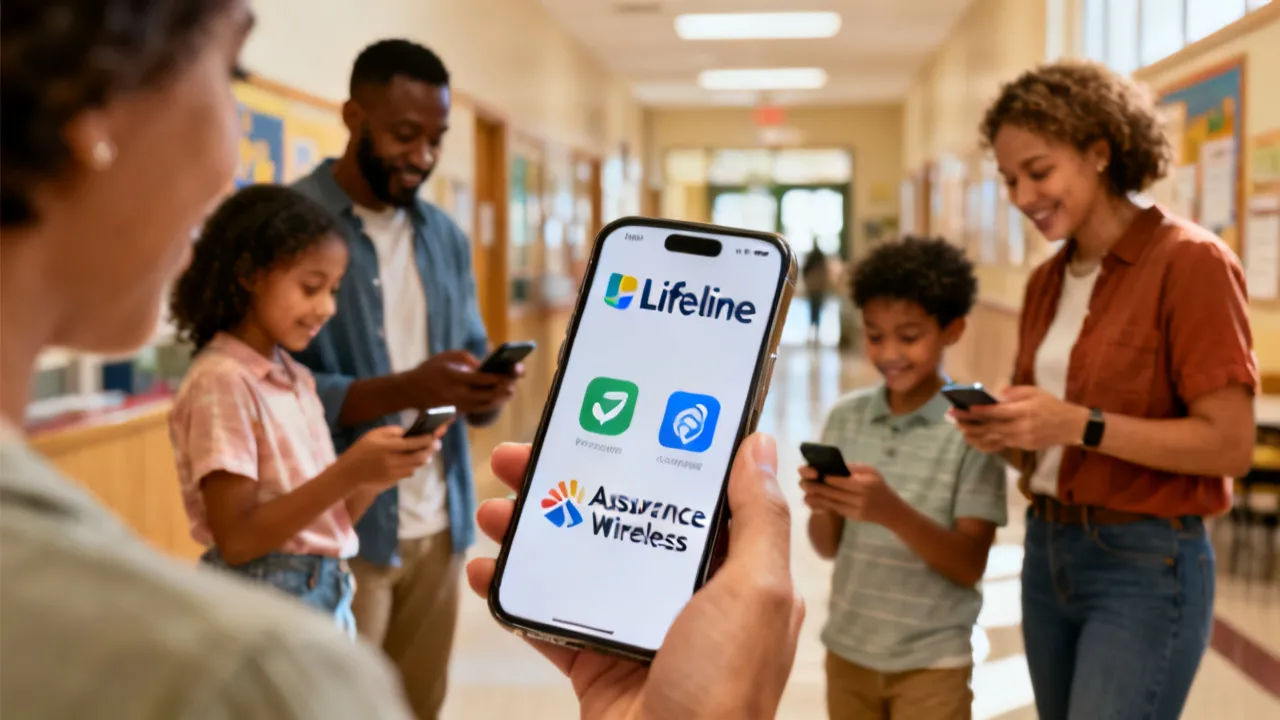
This guide explains how government-supported phone programs work, compares major wireless providers, and outlines how to qualify and apply. Government phone initiatives use income-based rules and participation in assistance programs to support essential connectivity. Providers such as SafeLink, Assurance Wireless, StandUp Wireless, Access Wireless, and True Wireless offer device and service options that vary by plan and state.
This guide helps you compare government phone plans from SafeLink Wireless, Assurance Wireless, StandUp Wireless, Access Wireless, and True Wireless, including what’s typically included, who qualifies, and how to apply. It also explains the Lifeline and ACP framework behind the programs, describing eligibility factors such as income and participation in assistance programs, in an objective, decision-focused way.
This guide explains how Arara pb interacts with major U.S. government-supported phone programs, including SafeLink Wireless, Assurance Wireless, StandUp Wireless, Access Wireless, and True Wireless. It provides an objective overview of these providers, typical services and optional add-ons, and how eligibility and application steps work under Lifeline and ACP rules—so you can compare plans with confidence.
This guide explains how to obtain a Affordable Government Phone through U.S. Lifeline-supported providers, comparing SafeLink Wireless, Assurance Wireless, StandUp Wireless, Access Wireless, and True Wireless. It reviews what typically comes with these plans, how applications and eligibility checks work, and what applicants should prepare. Providers generally base availability on income or participation in qualifying programs, such as Medicaid or SNAP.

This guide explains how the Lifeline-connected “government phone” options work for eligible households, including SafeLink Wireless, Assurance Wireless, StandUp Wireless, Access Wireless, and True Wireless. It also outlines eligibility checks, step-by-step applications, and what costs may apply. In objective terms, these programs support affordable communications for qualifying residents through federally supported enrollment pathways.
This guide explains how to access Affordable Government Phone programs from major Lifeline-supported providers, what service tiers typically include, and how SafeLink Wireless, Assurance Wireless, StandUp Wireless, Access Wireless, and True Wireless handle applications. It provides objective background on why government-supported connectivity exists and how eligibility frameworks generally work, without promising approval.
